解决sublimeText3无法安装插件问题 -- There are no packages available for installation
今天在安装Sublime Text 3插件时遇到错误,弹出一个对话框说没有可供安装的包,提示原文为There are no packages available for installation
There are no packages available for installation错误
今天在安装Sublime Text 3插件时遇到错误,弹出一个对话框说没有可供安装的包,提示原文为There are no packages available for installation,对话框如下图:
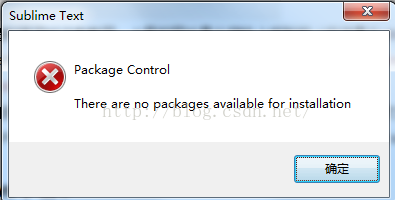
经过google搜索,在stackoverflow的问答中找到解决办法,详情可以参考这里:http://stackoverflow.com/questions/25105139/sublime-text-2-there-are-no-packages-available-for-installation,解决办法就是这个问题被采纳的答案所描述的。
据说是IPv6的原因,如果我们的Intent服务提供者(ISP)不支持IPv6就会引发上述错误,原文如下:
This error is happened with IPv6 problem. If your Internet Service Provider (ISP) does not support for IPv6 you got this error.
解决办法(windows平台)
上面链接中给出的解决办法原文如下:
Step 1:
Get IPv4 address of sublime.wbond.net
Try this command line on terminal ping sublime.wbond.net
Now you can get IPv4 address of sublime.wbond.net.
Step 2:
Now open hosts file from C:\Windows\system32\drivers\etc\ folder and add this line (replcae {IPv4 address})
{IPv4 address} sublime.wbond.net.
All is ok. Let's play with Package controller.
从上面的描述可以知道首先需要获取sublime.wbond.net网站的IPv4地址,然后修改hosts文件就行了。
如果在终端使用ping命令时遇到如下错误
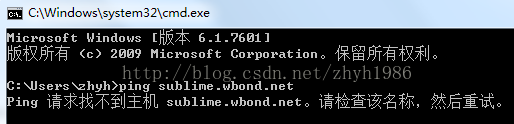
可以到这里(在线Ping工具)查寻其IP地址:http://serve.netsh.org/pub/ping.php
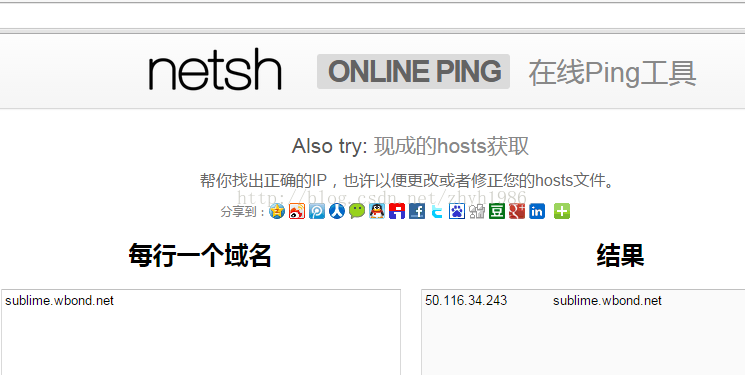
然后修改hosts文件就可以了,在hosts文件中添加一行,其中IP是ping命令得到的,如下所示:
50.116.34.243 sublime.wbond.net经过上面的步骤,再 Ctrl+Shift+P 打开 Package Control: Install Package 安装插件就可以了
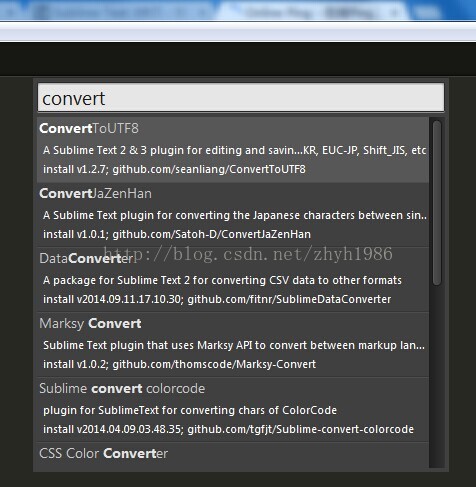
Package Control
至于 Package Control 插件的安装,可以参考这里:https://sublime.wbond.net/installation
第一种方法
打开控制台(ctrl+` 快捷键或者 View > Show Console 菜单),然后输入下面的代码:
import urllib.request,os,hashlib; h = '7183a2d3e96f11eeadd761d777e62404' + 'e330c659d4bb41d3bdf022e94cab3cd0'; pf = 'Package Control.sublime-package'; ipp = sublime.installed_packages_path(); urllib.request.install_opener( urllib.request.build_opener( urllib.request.ProxyHandler()) ); by = urllib.request.urlopen( 'http://packagecontrol.io/' + pf.replace(' ', '%20')).read(); dh = hashlib.sha256(by).hexdigest(); print('Error validating download (got %s instead of %s), please try manual install' % (dh, h)) if dh != h else open(os.path.join( ipp, pf), 'wb' ).write(by) 第二种方法
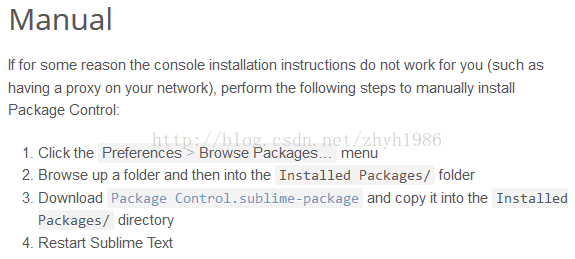
手动下载插件包:https://sublime.wbond.net/Package%20Control.sublime-package,复制到%SumlimeText_HOME%\Data\Installed Packages路径,重启 sublimeText 就行了。

聚焦前沿AI与大模型技术探索,汇聚开发者及爱好者,共享开源项目、学习资源与行业资讯。
更多推荐



 18
18 0
0- 0


 已为社区贡献1条内容

所有评论(0)